OBS plugin for Whatnot card streams

Hold up a card.
The price is
already on stream.

Flappy Cast spots the card in your camera, works out exactly which one it is, and puts its name, set and live market price on your stream. No typing. No tabbing out. No dead air while you look it up.
  • Pay once, keep it forever
  • Windows and Mac
  • No subscription
Flappy CastVertical stream · 9:16
Live from OBS
10GEM MINT
LIVE A vertical stream: a card held up to the camera, with Flappy Cast showing its name, set and price at the top of the screen
24,490Pokémon cards built in, English and Japanese
~0.3sto recognize a card once you hold it still
99.9%*of the card database identified correctly in testing
$0per scan, per month, per anything after you buy

* Share of the built-in Pokémon card database matched to the right card in our own full-database test. On a real stream, results depend on your camera, lighting and glare, and Flappy Cast asks you when it isn't sure.

See it scan

From your hand to the stream in under a second.

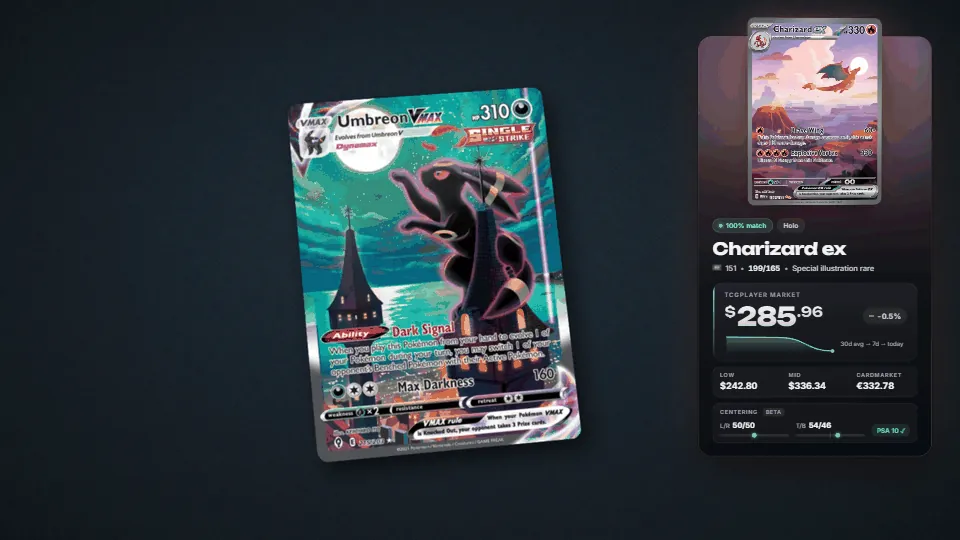
This is the real overlay, recorded straight out of OBS. Hold the card still for a moment and the panel slides in. Put the card down and it slides away.
OBS Studio · Flappy Cast OverlayLive
Flappy Cast recognizing three different cards in a row and showing each one's name, set and price
01 / FIND

It finds the card

Flappy Cast tracks the card in your webcam picture, even inside a sleeve or top-loader, and waits until you hold it steady.

02 / IDENTIFY

It knows which one

The picture is matched on your own computer against every card it knows, right down to the exact printing.

03 / PRICE

It shows the price

Name, set, number, rarity and the live market price go on stream, with the trend and every version's price.

Features

The full set. Nine for nine.

Everything a card stream needs, and nothing to babysit. Flappy Cast lives inside OBS as its own dock, so once it's on, you just sell.

Sleeves welcome

001/009

Penny sleeve, double sleeve or top-loader: the card is found inside its holder, so nothing has to come out on stream.

Recognition★ Rare

Every version priced

002/009

Normal, Holo, Reverse, 1st Edition and the special foils like Master Ball each get their own price, side by side.

Pricing★ Rare

Reprint radar

003/009

Two printings with the same picture? It checks the set code and number up close, and asks you if it still isn't sure.

Recognition★★ Ultra

One-click fix

004/009

The dock shows the five closest matches, other printings and a search box. Wrong card on screen? Click the right one.

Control● Common

Runs on your PC

005/009

Cards are recognized locally with no account and no bill per scan. Prices refresh every hour and new sets arrive on their own.

Under the hood★ Rare

Lots and binders

006/009

Lay out several loose cards, or a whole 9-pocket page like this one, and get a running total for the lot.

Modes◆ Uncommon

Tonight's total

007/009

Type the hammer price, hit Sold, and the sales tracker keeps count, with an on-stream ticker and a spreadsheet export.

Selling◆ Uncommon

Sold comps

008/009

One click opens eBay sold listings or the card's TCGplayer page in your browser, without leaving OBS.

Pricing● Common

Hotkeys

009/009

Rescan, Clear, Hide, Show, Pin and Unpin are all OBS hotkeys, so your hands stay on the cards.
Control● Common
Look · presets
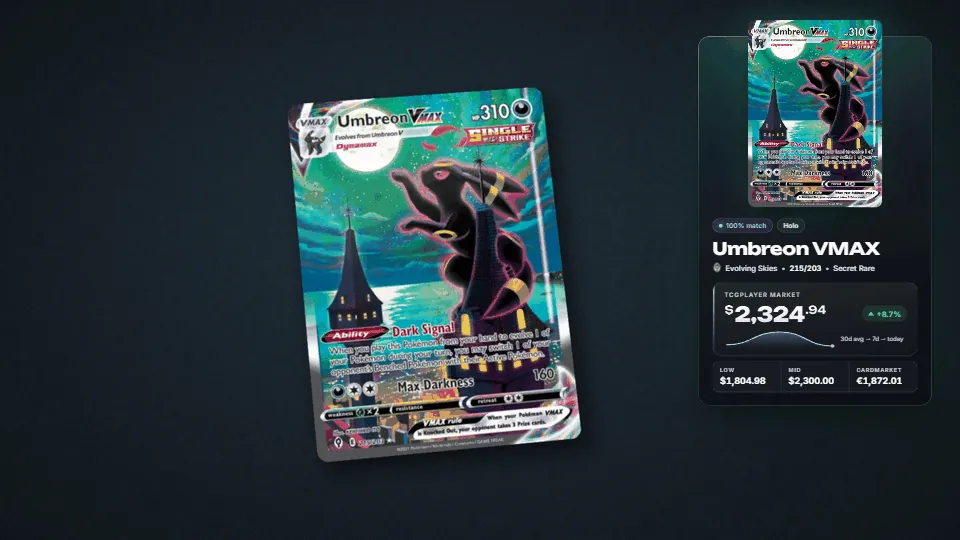
The overlay changing between color presets

Make it look like your show

Colors, glow, size, position and corners all change live from the dock. Start from a preset, or let the panel take its colors from the card itself.
Three games, one plugin
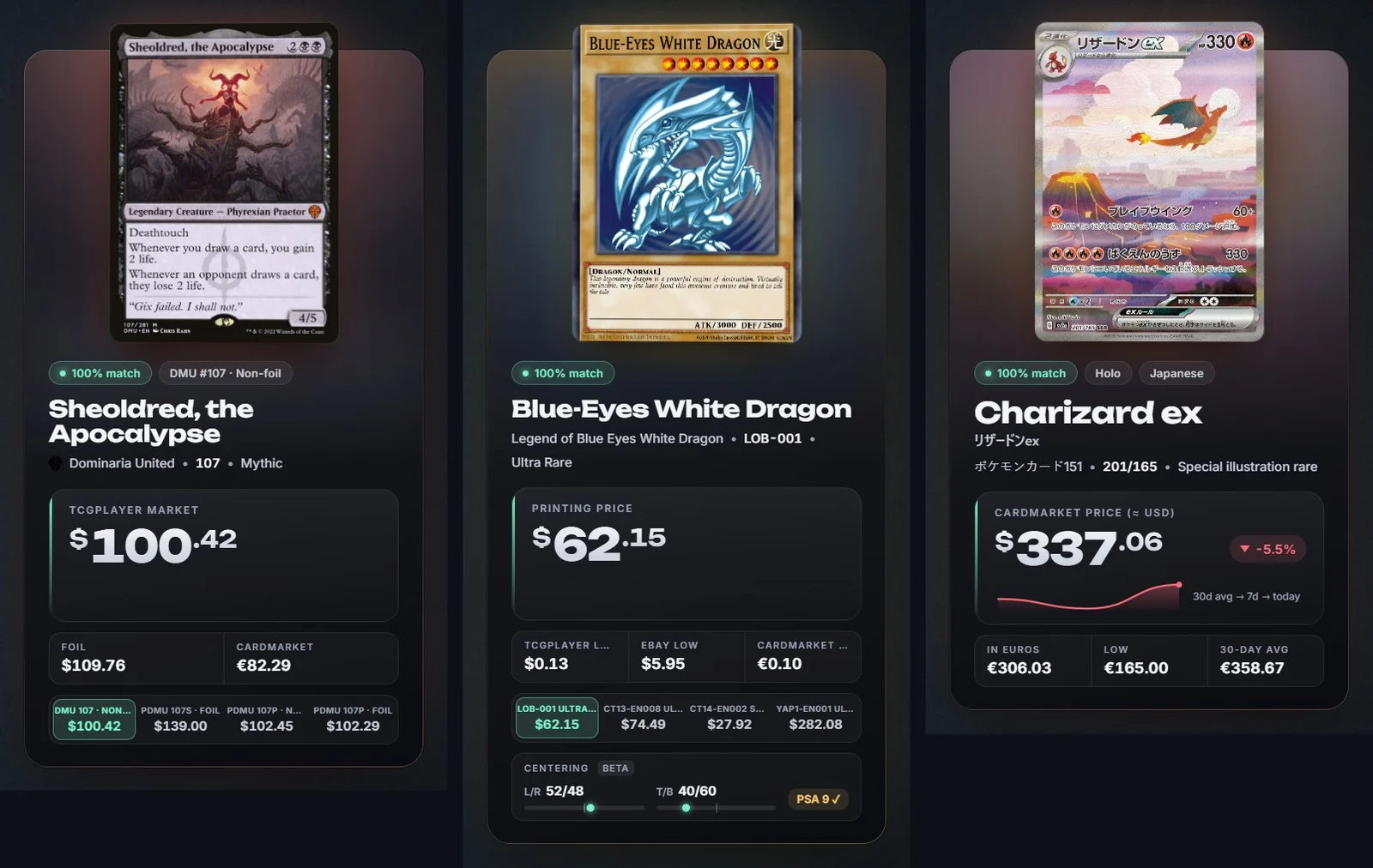
Flappy Cast panels for a Magic card, a Yu-Gi-Oh! card and a Japanese Pokémon card, each with prices

Pokémon, Magic and Yu-Gi-Oh!

Pokémon in English and Japanese is built in. Magic (about 49,000 cards) and Yu-Gi-Oh! (about 14,000) are optional downloads from the dock, at no extra cost.
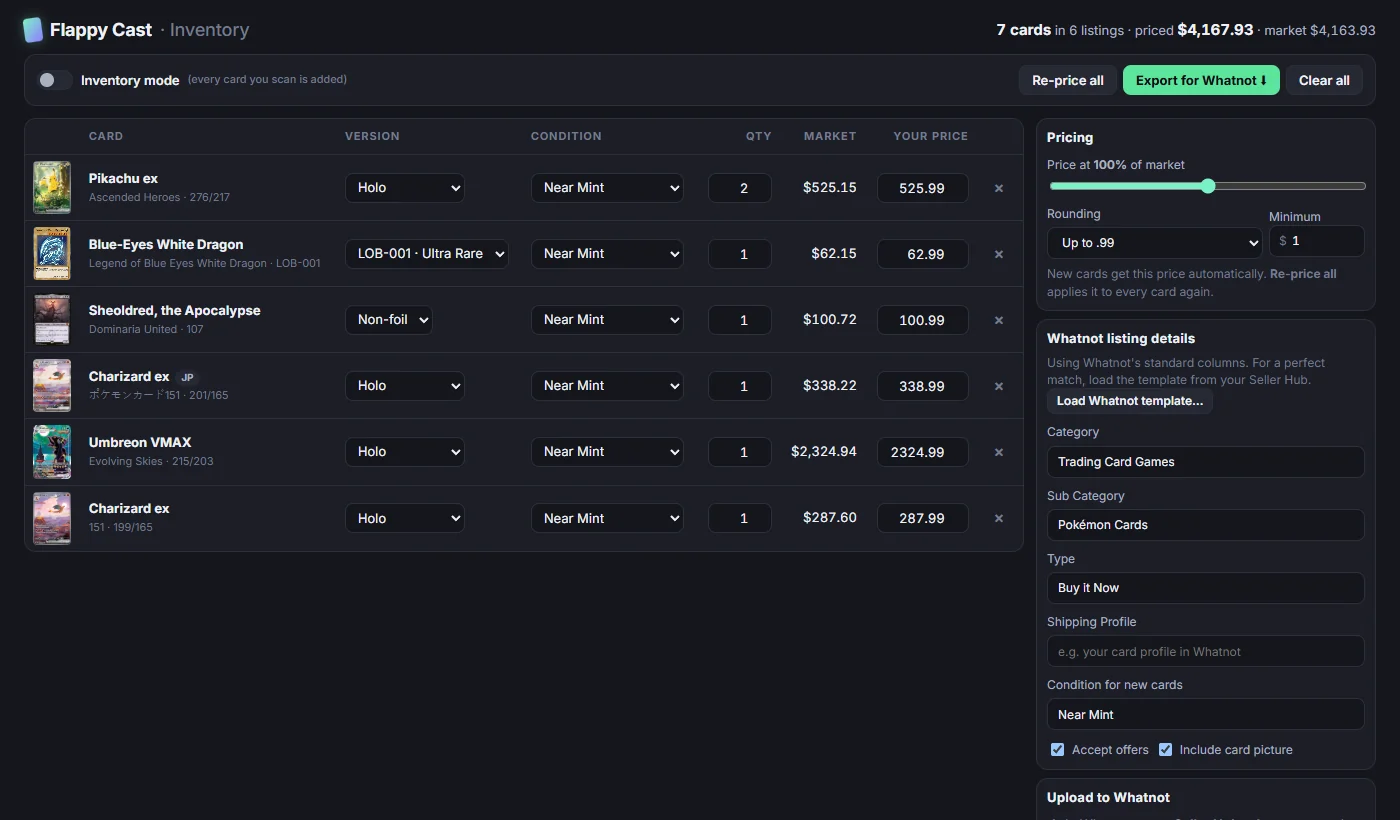
Built for Whatnot sellers

Made for the vertical stream, and the work around it.

  • A 9:16 layout that stays out of the way. On a vertical canvas the panel moves to the top of the screen, so chat and the bid buttons stay clear.
  • Scan your inventory, upload it in bulk. Hold cards up one at a time, price them by rule (say 90% of market, rounded to .99), and export a sheet in Whatnot's bulk-upload format.
  • Drafts, not surprises. Cards arrive in Seller Hub as drafts, so you review every listing before it goes live.
Flappy Cast · Inventory
The Flappy Cast inventory page listing scanned cards with versions, conditions and prices, and an Export for Whatnot button
Setup

Live in about ten minutes.

Install it

Run the installer with OBS closed. Flappy Cast adds its dock and overlay to OBS for you.

Pick your camera

Choose the webcam that sees your cards. The card database downloads once in the background.

Hold up a card

Keep it still for a second. The name and price are on stream before you finish saying them.
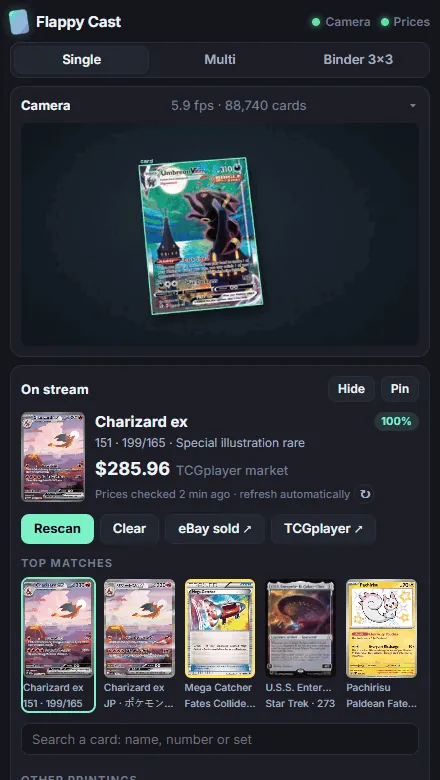
The Flappy Cast dock inside OBS: the camera view, the card on stream with its price, and the top matches
Pricing

One price. Yours forever.

Less than the fees on a single sale. Pay once and Flappy Cast is yours to keep, on Windows and Mac, with no subscription and nothing to renew.

Before you buy: Flappy Cast needs OBS Studio 30 or newer, Windows 10/11 or macOS 11+, and a webcam that can see your cards. It works with any stream you send from OBS, including Whatnot.

Flappy Cast

Lifetime license · digital download


  • Windows + Mac downloads
  • Pokémon, Magic, Yu-Gi-Oh!
  • Live prices + new sets
  • Whatnot bulk-upload export
  • Newest version, any time
  • Monthly fee

Totalpaid once$9.99

Secure checkout by Stripe · Already bought?

Questions

Good to know before you buy.

What do I get for $9.99?
The Flappy Cast installer for Windows and the package for Mac, a license key, and a personal downloads page that always has the newest version. Nothing else to buy: every game and every feature is included.
Is it really a one-time payment?
Yes. You pay $9.99 once. There's no subscription, no per-scan charge and no renewal, and your license doesn't expire.
How does it work with Whatnot?
Flappy Cast runs inside OBS Studio. If you send your Whatnot show from OBS, the overlay goes out as part of your stream, and on a vertical 9:16 canvas it uses a layout that keeps chat and bidding clear. The inventory scanner also exports a sheet in Whatnot's bulk-upload format. Flappy Cast is an independent tool and isn't made or endorsed by Whatnot.
What do I need to run it?
OBS Studio 30 or newer, Windows 10/11 or macOS 11+ (Apple Silicon or Intel), a webcam pointed at your cards, and an internet connection for prices. The first run downloads the card database (about 420 MB). On Mac the installer also needs Python 3.11 or newer and points you to it if it's missing.
Which cards does it recognize?
About 24,500 Pokémon cards out of the box: every English set plus roughly 3,900 Japanese cards. Magic: The Gathering and Yu-Gi-Oh! are optional downloads inside the app. New sets are picked up automatically each week.
Where do the prices come from?
TCGplayer market prices, with Cardmarket where TCGplayer doesn't list a card, refreshed every hour. If you have a PriceCharting key you can add graded and eBay-sold-based prices. Prices are a guide from third-party sources, so treat them as a starting point, not a guarantee.
What happens when it gets a card wrong?
It happens, usually with reprints that share the same artwork or under heavy glare. The dock shows the five closest matches and a search box, so the fix is one click, and when two printings look identical Flappy Cast asks you instead of guessing.
Can I get a refund?
All sales are final. Flappy Cast is a digital download that's delivered the moment you pay, so we can't take it back. Please check the requirements above before you buy. If you can't get it running, email us and we'll help you get set up. Full details are in the Terms of Sale.
How many computers can I use it on?
Your license is for you. Install it on the computers you stream from, Windows or Mac. Please don't share your download link or license key.
Is the Mac version finished?
The Mac version is newer than the Windows one and has had less real-world use, so we label it beta. One purchase covers both, so you can use whichever computer you stream from.
I lost my download link. Now what?
Go to your downloads and enter the email you paid with and your license key. If you've lost the key too, email us from the address you paid with and we'll sort it out.

Your next show could price itself.

Set it up tonight. Hold up the first card tomorrow.